Accurate and timely accounting is critical for any business’ survival. At the same time, it’s important for entrepreneurs to pour their energy into core business activities and not waste time on day-to-day bookkeeping. Unfortunately, the cost of setting up a full-time accounting department is prohibitive for small and mid-sized businesses. Thankfully, there is an option to outsource functions such as bookkeeping, payroll, tax services, financing, budgeting, chief finance officer services, and more to a third party.
In this article, we discuss how to know if you are ready to outsource, the benefits, and how to choose the right professional.
How to Know if You Should Outsource
Here is how to know when you need to outsource.
Business growth – when you start adding more employees and your business is expanding, you might be more likely to commit financial errors. You may also realize you are experiencing difficulties in handling payroll and invoicing and need more than basic bookkeeping.
When your business accounts start to take too much of your time – you barely have time for your other responsibilities and you spend more time checking your business accounts.
Multitasking – if you find yourself multitasking or having employees spend extra hours on roles they were not initially employed to do.
Need an expert’s opinion – you do not feel confident in your ability to handle bookkeeping, or you need another person to check the accuracy of your accounts.
Need to reduce costs – running a profitable business requires a check on operation costs. An in-house team comes with extra costs, including recruiting, training, managing more employees, updated software, etc.
You suspect fraud – when you suspect abnormal transactions or want to prevent possible fraud in your business. Unfortunately, as a small business, you can’t afford to hire a chief finance officer and have no one to implement fraud protection controls.
Investors – when you have investors, you may be required to involve a third party for an unbiased financial assessment.
Latest accounting software – if your business needs the latest accounting software to stay up to date with technology, but the cost is too high for your business.
Benefits of Outsourcing Accounting
Choosing to outsource your accounting can be uncomfortable as it means you are allowing a third party to have control over a very important part of your business. But your business could miss out on the following benefits:
Access to a professional dedicated team. It is the role of the accounting firm to keep up with tools, regulatory requirements, and systems that meet accounting standards. This guarantees your business is compliant and avoids taxation issues.
A trained professional will take a proactive approach, as they check for any red flags in your finances, expenditures, or cash flow.
Save on cost. It costs less to outsource than build an in-house accounting department. You avoid overhead costs such as employee salaries, insurance, and benefits, among others. You only pay for the accounting service you use.
Increased operational efficiency – an outsourced team will advise on the right accounting system for your business. They take care of automation, which will speed up processes and thus enhance operational efficiency.
Better decision making – you have access to industry insights and financial and management reports that will help make better decisions.
Access to the newest technology – it’s the business of the accounting firm to ensure they provide their clients with the latest accounting technology.
How to Choose the Right Firm
Having seen why you need to outsource and the benefits that come with it, the next step is to choose the right firm to outsource your accounting and bookkeeping needs.
First, you need to be clear about the actual services you need. This will help you choose a firm that aligns with your business values.
Where possible, look for recommendations from existing clients on the expertise, experience, and reputation of the firm. Be sure to check the payment schedule that will work best for you, whether they charge an hourly fee or monthly. Don’t ignore what is included on the packages offered. Other things to check for is their package flexibility, the onboarding process (should allow to define roles, expectations, communication policies, and procedures).
Most importantly, ensure that you understand the terms and conditions before signing a contract in case you need to terminate the agreement.
Conclusion
Whether you are a small business, medium sized, or a non-profit, with time your accounting functions will go beyond what your bookkeeper can handle. The best option is to outsource a dedicated team that acts as your accounting department or complements your existing accounting staff.
Is Your Business Ready to Outsource Accounting?
September 1, 2021 · Blog, What's New in Technology
⏱ 4 min read
Accurate and timely accounting is critical for any business’ survival. At the same time, it’s important for entrepreneurs to pour their energy into core business activities and not waste time on day-to-day bookkeeping. Unfortunately, the cost of setting up a full-time accounting department is prohibitive for small and mid-sized businesses. Thankfully, there is an option to outsource functions such as bookkeeping, payroll, tax services, financing, budgeting, chief finance officer services, and more to a third party.
In this article, we discuss how to know if you are ready to outsource, the benefits, and how to choose the right professional.
How to Know if You Should Outsource
Here is how to know when you need to outsource.
Business growth – when you start adding more employees and your business is expanding, you might be more likely to commit financial errors. You may also realize you are experiencing difficulties in handling payroll and invoicing and need more than basic bookkeeping.
When your business accounts start to take too much of your time – you barely have time for your other responsibilities and you spend more time checking your business accounts.
Multitasking – if you find yourself multitasking or having employees spend extra hours on roles they were not initially employed to do.
Need an expert’s opinion – you do not feel confident in your ability to handle bookkeeping, or you need another person to check the accuracy of your accounts.
Need to reduce costs – running a profitable business requires a check on operation costs. An in-house team comes with extra costs, including recruiting, training, managing more employees, updated software, etc.
You suspect fraud – when you suspect abnormal transactions or want to prevent possible fraud in your business. Unfortunately, as a small business, you can’t afford to hire a chief finance officer and have no one to implement fraud protection controls.
Investors – when you have investors, you may be required to involve a third party for an unbiased financial assessment.
Latest accounting software – if your business needs the latest accounting software to stay up to date with technology, but the cost is too high for your business.
Benefits of Outsourcing Accounting
Choosing to outsource your accounting can be uncomfortable as it means you are allowing a third party to have control over a very important part of your business. But your business could miss out on the following benefits:
Access to a professional dedicated team. It is the role of the accounting firm to keep up with tools, regulatory requirements, and systems that meet accounting standards. This guarantees your business is compliant and avoids taxation issues.
A trained professional will take a proactive approach, as they check for any red flags in your finances, expenditures, or cash flow.
Save on cost. It costs less to outsource than build an in-house accounting department. You avoid overhead costs such as employee salaries, insurance, and benefits, among others. You only pay for the accounting service you use.
Increased operational efficiency – an outsourced team will advise on the right accounting system for your business. They take care of automation, which will speed up processes and thus enhance operational efficiency.
Better decision making – you have access to industry insights and financial and management reports that will help make better decisions.
Access to the newest technology – it’s the business of the accounting firm to ensure they provide their clients with the latest accounting technology.
How to Choose the Right Firm
Having seen why you need to outsource and the benefits that come with it, the next step is to choose the right firm to outsource your accounting and bookkeeping needs.
First, you need to be clear about the actual services you need. This will help you choose a firm that aligns with your business values.
Where possible, look for recommendations from existing clients on the expertise, experience, and reputation of the firm. Be sure to check the payment schedule that will work best for you, whether they charge an hourly fee or monthly. Don’t ignore what is included on the packages offered. Other things to check for is their package flexibility, the onboarding process (should allow to define roles, expectations, communication policies, and procedures).
Most importantly, ensure that you understand the terms and conditions before signing a contract in case you need to terminate the agreement.
Conclusion
Whether you are a small business, medium sized, or a non-profit, with time your accounting functions will go beyond what your bookkeeper can handle. The best option is to outsource a dedicated team that acts as your accounting department or complements your existing accounting staff.
Disclaimer
These articles provide general information on tax, accounting, and financial topics for small businesses and individuals. They are educational in nature and are not specific legal, accounting, financial, tax, or other professional advice, and should not be relied upon as such. This content was prepared by Service2Client and may have been reviewed or edited by the website owner for accuracy and compliance. Look for a trust mark below for verification details. No representation is made that any approach described will achieve a particular result, and no regulatory or professional body has reviewed or endorsed this content. Because each situation is different, readers should consult a qualified professional about their specific circumstances before acting. Images accompanying these articles are protected by copyright and may not be copied or reused.
Technology has no doubt changed the traditional way of doing things. Businesses and professionals are left with no choice but to adopt new technology to remain relevant in a changing environment.
However, the successful adoption of this new age in accounting can happen only if you prepare your staff in advance.
Why it’s Necessary to Prepare for the New Age Accounting
Technology offers many benefits; however, the constant rapid changes in technology create a major challenge to organizations and even to the professionals/employees. Some decide to stick with systems with which they are already proficient. Unfortunately, such a decision is not an option if you want to remain relevant in a changing accounting landscape.
Technological changes that have affected the accounting field can be attributed to technologies such as 5G, data analytics, robotic process automation (RPA), computer-assisted auditing technologies (CAATS), blockchain, and cloud computing, among others.
These technologies are literally creating new roles in the accounting field. For instance, automation will take away some accounting jobs, such as data entry, payroll, tax handling and bank reconciliations – thanks to Enterprise Resource Planning (ERP) systems and more advanced systems like Robotic Process Automation (RPA).
The effect of technology in the accounting field has made such an impact that the AICPA and NASBA are supporting a CPA evolution. This is aimed at incorporating changing skills and competencies in the accounting field. As a result, this will include a new curriculum and new CPA exams expected to be launched in 2024.
Despite the disruption in the accounting field by technology, it has introduced many new opportunities. Consider this: while automation takes care of repetitive tasks, the accountant can devote more time to planning, organizing, and advising. This enables the accountant to add more value to an organization as they focus on major tasks.
However, this advantage will benefit only those who are well prepared in advance and ready for the new form that accounting is taking.
How to Prepare Your Staff for a New Age in Accounting
Change is not always welcome, but preparing your staff in advance will help ensure a smooth transition. Here is how to prepare your staff:
Communicate Let your employees know the intended changes in roles as well as new technologies that you plan to implement. Employees also can play a role in selecting technologies best suited to your business operations.
Mindset Shift Help employees accept the technological changes. They need to shift their mindset and accept the changing digital landscape. This will help with expediency and the ability to take advantage of its benefits.
Upskilling and Reskilling Give employees a chance to enhance their abilities. They also should learn new things to ensure they have relevant skills to continue working in advanced areas of accounting that require innovation, critical thinking, decision making, etc. Where necessary, they could learn basic programming and even basic automation for more advanced roles like data analysis. Gaining new skills will help your business transition from old systems to new ones, without necessarily hiring new staff.
Soft Skills Accountants now more than ever need to learn non-technical skills so that they can easily interact with people. If they are expected to take up advisory roles, they should be good at problem-solving, communication, relationship skills, business acumen, etc.
Emerging Business Models Let your staff be aware of new business models, such as microservices, marketplace platforms, and do-it-yourself models. This especially affects accounting firms whose employees need to be creative on how to leverage these models.
Positive Culture Develop a culture that enables staff to compete at a new level to keep their morale up so they are not worried about losing their jobs.
Stay Updated Keep everyone up-to-date with trends even when you don’t intend to implement every new technology that comes up. It helps to stay in the loop of what’s happening in the accounting field.
Keeping up with evolving accounting trends and changes will save you from losing clients. Preparing your staff for the new age of accounting will help your business provide value beyond traditional accounting to your clients. This is because you will be serving as business consultants and strategic partners as opposed to simply accounting experts.
Technology Driven Accounting: How to Prepare Staff for a New Age in Accounting
August 1, 2021 · Blog, What's New in Technology
⏱ 4 min read
Technology has no doubt changed the traditional way of doing things. Businesses and professionals are left with no choice but to adopt new technology to remain relevant in a changing environment.
However, the successful adoption of this new age in accounting can happen only if you prepare your staff in advance.
Why it’s Necessary to Prepare for the New Age Accounting
Technology offers many benefits; however, the constant rapid changes in technology create a major challenge to organizations and even to the professionals/employees. Some decide to stick with systems with which they are already proficient. Unfortunately, such a decision is not an option if you want to remain relevant in a changing accounting landscape.
Technological changes that have affected the accounting field can be attributed to technologies such as 5G, data analytics, robotic process automation (RPA), computer-assisted auditing technologies (CAATS), blockchain, and cloud computing, among others.
These technologies are literally creating new roles in the accounting field. For instance, automation will take away some accounting jobs, such as data entry, payroll, tax handling and bank reconciliations – thanks to Enterprise Resource Planning (ERP) systems and more advanced systems like Robotic Process Automation (RPA).
The effect of technology in the accounting field has made such an impact that the AICPA and NASBA are supporting a CPA evolution. This is aimed at incorporating changing skills and competencies in the accounting field. As a result, this will include a new curriculum and new CPA exams expected to be launched in 2024.
Despite the disruption in the accounting field by technology, it has introduced many new opportunities. Consider this: while automation takes care of repetitive tasks, the accountant can devote more time to planning, organizing, and advising. This enables the accountant to add more value to an organization as they focus on major tasks.
However, this advantage will benefit only those who are well prepared in advance and ready for the new form that accounting is taking.
How to Prepare Your Staff for a New Age in Accounting
Change is not always welcome, but preparing your staff in advance will help ensure a smooth transition. Here is how to prepare your staff:
Communicate Let your employees know the intended changes in roles as well as new technologies that you plan to implement. Employees also can play a role in selecting technologies best suited to your business operations.
Mindset Shift Help employees accept the technological changes. They need to shift their mindset and accept the changing digital landscape. This will help with expediency and the ability to take advantage of its benefits.
Upskilling and Reskilling Give employees a chance to enhance their abilities. They also should learn new things to ensure they have relevant skills to continue working in advanced areas of accounting that require innovation, critical thinking, decision making, etc. Where necessary, they could learn basic programming and even basic automation for more advanced roles like data analysis. Gaining new skills will help your business transition from old systems to new ones, without necessarily hiring new staff.
Soft Skills Accountants now more than ever need to learn non-technical skills so that they can easily interact with people. If they are expected to take up advisory roles, they should be good at problem-solving, communication, relationship skills, business acumen, etc.
Emerging Business Models Let your staff be aware of new business models, such as microservices, marketplace platforms, and do-it-yourself models. This especially affects accounting firms whose employees need to be creative on how to leverage these models.
Positive Culture Develop a culture that enables staff to compete at a new level to keep their morale up so they are not worried about losing their jobs.
Stay Updated Keep everyone up-to-date with trends even when you don’t intend to implement every new technology that comes up. It helps to stay in the loop of what’s happening in the accounting field.
Keeping up with evolving accounting trends and changes will save you from losing clients. Preparing your staff for the new age of accounting will help your business provide value beyond traditional accounting to your clients. This is because you will be serving as business consultants and strategic partners as opposed to simply accounting experts.
Disclaimer
These articles provide general information on tax, accounting, and financial topics for small businesses and individuals. They are educational in nature and are not specific legal, accounting, financial, tax, or other professional advice, and should not be relied upon as such. This content was prepared by Service2Client and may have been reviewed or edited by the website owner for accuracy and compliance. Look for a trust mark below for verification details. No representation is made that any approach described will achieve a particular result, and no regulatory or professional body has reviewed or endorsed this content. Because each situation is different, readers should consult a qualified professional about their specific circumstances before acting. Images accompanying these articles are protected by copyright and may not be copied or reused.
Auditing is crucial to ensure the accuracy and fairness of financial information. However, one of the biggest threats to audit reputation today is data quality. This is because of the large volumes of data that businesses produce today. To deal with so much data, auditors are now turning to data analytics.
Data Analytics and Audits
Technology has played a major role in business growth as it aids in reducing operational costs and improving customer service. As such, many businesses have adopted enterprise resource planning (ERP) systems. These systems result in huge volumes of data, making it nearly impossible to analyze using the traditional audit process.
Auditors are left with no choice but to also use IT-based solutions; and this led to the development of audit software to support the auditors in data extraction and analysis.
To further enhance the workings of audit software, it’s now being integrated with data analytics. Given that data analytics works with structured data, the systems incorporate machine learning (deep learning) to extract useful data from a host of unstructured data.
Although these developments in the audit profession have not changed the primary role of auditors, they have changed how an audit is done by helping produce high quality audit evidence.
How Data Analytics Improves Audit Quality
Traditional audits involve combing through piles of data, which is time consuming. As a result, auditors prefer workarounds like data sampling, which does not give a true outcome.
With data analytics, an auditor does not have to restrict data to financial reporting systems only. Instead, they can use data from multiple complete data sets, such as sales statistical data and employee and customer master data. This enables an auditor to go beyond traditional audits that target limited data and include different audit relevant data.
Using data analytics tools, auditors look for predefined patterns that help reveal ambiguous relationships between variables that a manual system might not identify. This helps facilitate a more comprehensive decision that includes all data sets.
By integrating data analytics, auditors have access to a powerful tool that helps them better understand a business. As a result, they can easily identify key audit risks, provide deeper insights into a business’ systems and controls, detect fraud, and provide value in a less costly manner.
Apart from simplifying and speeding up the audit process, data analytics also enables auditors to focus on key risks.
The capabilities of data analytics continue to evolve to the point of automating the auditing process through advanced data analytics (ADA). This enables the automation of routine audit processes, allowing the auditors more time for matters that require professional judgment.
Challenges of Audit Data Analytics
Audit data analytics isn’t without a few challenges, one of which is data exchange between a business and an auditor, whether internal or external. This is in relation to different systems used in data collection. To handle this challenge, the AICPA introduced data standards to be used for data requests and to ensure production of standard reports from the ERP systems.
Another challenge is the integrity of data fed into the analytics systems, as this determines the quality of the end results. Systems used should be designed around collecting meaningful data. Auditors must also ensure that the conclusions fed into the systems are accurate and correct.
Although data analytics reduces the sampling risk, it introduces the challenge of getting numerous exceptions, mostly referred to as outliers, that produce results outside audit expectations. This calls for auditors to investigate the exceptions/outliers to determine if they are errors or misstatements.
Conclusion
Integrating data analytics into the audit process greatly improves audit quality and credibility. With rapid advancements in technology, the capabilities of data analytics will continue to evolve, making auditing work even more efficient while maintaining high quality.
Although the adoption of data analytics is dependent on the size of a business, availability of skilled staff is also crucial. To remain relevant in a fast-changing environment, auditors need to advance their skills to effectively use the data analytics tools.
Audits in Accounting: Improving Audit Quality with Data Analytics
July 1, 2021 · Blog, What's New in Technology
⏱ 4 min read
Auditing is crucial to ensure the accuracy and fairness of financial information. However, one of the biggest threats to audit reputation today is data quality. This is because of the large volumes of data that businesses produce today. To deal with so much data, auditors are now turning to data analytics.
Data Analytics and Audits
Technology has played a major role in business growth as it aids in reducing operational costs and improving customer service. As such, many businesses have adopted enterprise resource planning (ERP) systems. These systems result in huge volumes of data, making it nearly impossible to analyze using the traditional audit process.
Auditors are left with no choice but to also use IT-based solutions; and this led to the development of audit software to support the auditors in data extraction and analysis.
To further enhance the workings of audit software, it’s now being integrated with data analytics. Given that data analytics works with structured data, the systems incorporate machine learning (deep learning) to extract useful data from a host of unstructured data.
Although these developments in the audit profession have not changed the primary role of auditors, they have changed how an audit is done by helping produce high quality audit evidence.
How Data Analytics Improves Audit Quality
Traditional audits involve combing through piles of data, which is time consuming. As a result, auditors prefer workarounds like data sampling, which does not give a true outcome.
With data analytics, an auditor does not have to restrict data to financial reporting systems only. Instead, they can use data from multiple complete data sets, such as sales statistical data and employee and customer master data. This enables an auditor to go beyond traditional audits that target limited data and include different audit relevant data.
Using data analytics tools, auditors look for predefined patterns that help reveal ambiguous relationships between variables that a manual system might not identify. This helps facilitate a more comprehensive decision that includes all data sets.
By integrating data analytics, auditors have access to a powerful tool that helps them better understand a business. As a result, they can easily identify key audit risks, provide deeper insights into a business’ systems and controls, detect fraud, and provide value in a less costly manner.
Apart from simplifying and speeding up the audit process, data analytics also enables auditors to focus on key risks.
The capabilities of data analytics continue to evolve to the point of automating the auditing process through advanced data analytics (ADA). This enables the automation of routine audit processes, allowing the auditors more time for matters that require professional judgment.
Challenges of Audit Data Analytics
Audit data analytics isn’t without a few challenges, one of which is data exchange between a business and an auditor, whether internal or external. This is in relation to different systems used in data collection. To handle this challenge, the AICPA introduced data standards to be used for data requests and to ensure production of standard reports from the ERP systems.
Another challenge is the integrity of data fed into the analytics systems, as this determines the quality of the end results. Systems used should be designed around collecting meaningful data. Auditors must also ensure that the conclusions fed into the systems are accurate and correct.
Although data analytics reduces the sampling risk, it introduces the challenge of getting numerous exceptions, mostly referred to as outliers, that produce results outside audit expectations. This calls for auditors to investigate the exceptions/outliers to determine if they are errors or misstatements.
Conclusion
Integrating data analytics into the audit process greatly improves audit quality and credibility. With rapid advancements in technology, the capabilities of data analytics will continue to evolve, making auditing work even more efficient while maintaining high quality.
Although the adoption of data analytics is dependent on the size of a business, availability of skilled staff is also crucial. To remain relevant in a fast-changing environment, auditors need to advance their skills to effectively use the data analytics tools.
Disclaimer
These articles provide general information on tax, accounting, and financial topics for small businesses and individuals. They are educational in nature and are not specific legal, accounting, financial, tax, or other professional advice, and should not be relied upon as such. This content was prepared by Service2Client and may have been reviewed or edited by the website owner for accuracy and compliance. Look for a trust mark below for verification details. No representation is made that any approach described will achieve a particular result, and no regulatory or professional body has reviewed or endorsed this content. Because each situation is different, readers should consult a qualified professional about their specific circumstances before acting. Images accompanying these articles are protected by copyright and may not be copied or reused.
Business accounting activities can be tedious when performed manually and are prone to errors. For these reasons, many businesses have shifted to accounting software that offers numerous benefits, including data accuracy, time savings, easier auditing and on-demand reports.
With so many available options, it’s overwhelming to choose the right fit for a particular business. As more software vendors join the market with different enticing offers, it’s wise to be equipped with the right information.
Making a Decision Between Different Accounting Software
Each business is different and varies with industry. For efficient accounting operations, you cannot afford to choose a one-size-fits-all solution. Here are tips to help ease the selection process.
Understand your business requirements Whether you are a start-up or already have an existing business, begin by establishing your accounting requirements. This will help in making a list of features that you need in accounting software. Avoid copying other businesses without understanding what your business needs are. Consider your business size, number of users and projected growth (in order to support business scaling).
Conduct Research Learn more about accounting software options. Some might offer only general accounting features while others provide industry-specific features. By reading online reviews, you can see what users are saying about different accounting software.
Get Recommendations From Your Accountant Accountants who have already worked with the software have better knowledge about the product and can advise what will work for your business. Get their opinions.
Your Budget A business budget is a major determining factor in purchasing an accounting program. Note that software vendors have different pricing models. Depending on how much you are willing to spend, you can choose between monthly subscription fees or a pay-per-use model. Ensure that you have checked out any extra or hidden costs as you could end up spending more than initially planned. And pricing aside, avoid choosing the cheapest option just to save on expenses. The wrong software could cost your business more in the long run.
Integration with Other Software Businesses today use various software applications. It’s crucial that you select one that integrates with your existing business applications. This will help avoid duplication of work, such as manual data entry from one program to another.
Online Versus Offline Accounting Software You might prefer to have accounting software that you install on your computer, or maybe you’d rather use the online hosted version. Online accounting software is gaining popularity among SMBs due to its affordability. To use this option, you don’t need to install anything – just access it with your credentials. This allows users to access the accounting software from anywhere, even using different devices.
Availability of Customer Support Check whether the software vendor offers support after you have purchased or subscribed to use the software. What times do they offer support? And for how long will this support be available?
Data Security Data security is especially important for those who choose to work with online accounting software. Consider security measures offered by the software vendor to safeguard against data breaches and other cybersecurity risks. A good software vendor should have measures in place like automatic data backup, data encryption, and allow granular user roles to be assigned.
Parting Words
Accounting software is crucial for businesses of all sizes as it plays an important role in the accounting process; thus, you can’t afford to choose randomly. Consider all your business needs before making a choice for the best fit for your business. Create a list of preferences, then check for vendors that offer free trials to get a taste of their services before making a final decision.
Remember, choosing the right accounting software will save you from the costly mistake of replacing a wrong one.
How to Choose the Right Accounting Software for your Business
June 1, 2021 · Blog, What's New in Technology
⏱ 4 min read
Business accounting activities can be tedious when performed manually and are prone to errors. For these reasons, many businesses have shifted to accounting software that offers numerous benefits, including data accuracy, time savings, easier auditing and on-demand reports.
With so many available options, it’s overwhelming to choose the right fit for a particular business. As more software vendors join the market with different enticing offers, it’s wise to be equipped with the right information.
Making a Decision Between Different Accounting Software
Each business is different and varies with industry. For efficient accounting operations, you cannot afford to choose a one-size-fits-all solution. Here are tips to help ease the selection process.
Understand your business requirements Whether you are a start-up or already have an existing business, begin by establishing your accounting requirements. This will help in making a list of features that you need in accounting software. Avoid copying other businesses without understanding what your business needs are. Consider your business size, number of users and projected growth (in order to support business scaling).
Conduct Research Learn more about accounting software options. Some might offer only general accounting features while others provide industry-specific features. By reading online reviews, you can see what users are saying about different accounting software.
Get Recommendations From Your Accountant Accountants who have already worked with the software have better knowledge about the product and can advise what will work for your business. Get their opinions.
Your Budget A business budget is a major determining factor in purchasing an accounting program. Note that software vendors have different pricing models. Depending on how much you are willing to spend, you can choose between monthly subscription fees or a pay-per-use model. Ensure that you have checked out any extra or hidden costs as you could end up spending more than initially planned. And pricing aside, avoid choosing the cheapest option just to save on expenses. The wrong software could cost your business more in the long run.
Integration with Other Software Businesses today use various software applications. It’s crucial that you select one that integrates with your existing business applications. This will help avoid duplication of work, such as manual data entry from one program to another.
Online Versus Offline Accounting Software You might prefer to have accounting software that you install on your computer, or maybe you’d rather use the online hosted version. Online accounting software is gaining popularity among SMBs due to its affordability. To use this option, you don’t need to install anything – just access it with your credentials. This allows users to access the accounting software from anywhere, even using different devices.
Availability of Customer Support Check whether the software vendor offers support after you have purchased or subscribed to use the software. What times do they offer support? And for how long will this support be available?
Data Security Data security is especially important for those who choose to work with online accounting software. Consider security measures offered by the software vendor to safeguard against data breaches and other cybersecurity risks. A good software vendor should have measures in place like automatic data backup, data encryption, and allow granular user roles to be assigned.
Parting Words
Accounting software is crucial for businesses of all sizes as it plays an important role in the accounting process; thus, you can’t afford to choose randomly. Consider all your business needs before making a choice for the best fit for your business. Create a list of preferences, then check for vendors that offer free trials to get a taste of their services before making a final decision.
Remember, choosing the right accounting software will save you from the costly mistake of replacing a wrong one.
Disclaimer
These articles provide general information on tax, accounting, and financial topics for small businesses and individuals. They are educational in nature and are not specific legal, accounting, financial, tax, or other professional advice, and should not be relied upon as such. This content was prepared by Service2Client and may have been reviewed or edited by the website owner for accuracy and compliance. Look for a trust mark below for verification details. No representation is made that any approach described will achieve a particular result, and no regulatory or professional body has reviewed or endorsed this content. Because each situation is different, readers should consult a qualified professional about their specific circumstances before acting. Images accompanying these articles are protected by copyright and may not be copied or reused.
Invoicing is an important process in any business. Unfortunately, it’s also a laborious process that requires accuracy. With technology advances, businesses have tried to use various means to ease the invoicing process. Some outfits send scanned invoices; others might transfer PDFs through email; and some still use manual invoices. In this technology age, businesses are choosing to automate functions in a bid to increase overall business productivity and efficiency. E-invoicing is a technology that promises to help entrepreneurs add value to their businesses.
What is E-Invoicing?
E-invoicing is the exchange of an invoice between a buyer and seller using an integrated electronic format. This allows the buyer to pay online through a card payment, direct debit or other option after receiving the e-invoice.
E-invoicing is not a new technology; it’s already used by large scale businesses and governments. Some governments have already mandated the use of e-invoices from their suppliers and even for taxpayers. These programs have been running onsite, making it expensive for small and medium businesses (SMB) to use. Another challenge for SMBs has been dealing with multiple providers who have different platforms and technologies. This is a challenge because it requires a business to support extra business processes when sending or receiving invoices.
However, the rise of cloud computing and Software as a Service (SaaS) technologies has become an enabler for SMBs to implement e-invoicing.
Making e-invoicing available as SaaS eliminates complicated system installations and integrations that have previously been a challenge to SMBs. The SaaS systems come with features that allow you to automate the invoicing process, send reminders, accept online payments and generate reports, among other things.
Benefits of E-Invoicing
Here are some reasons that businesses are moving to e-invoicing:
Eliminates the manual process of sending invoices between a buyer and seller.
Prevents human error with the use of a template. The automated e-invoice ensures correct data is used with a validation process. This ensures there is no mistyped information, no data entry errors, no double entry, missed details or wrong data. Therefore, it improves accuracy.
Low cost of processing, since it helps to cut down on administration costs and printing invoices. It also saves a business from the task of sending emails back and forth concerning an invoice.
Maintains a more predictable cashflow as e-invoicing facilitates the seller receiving payment faster.
Enables ease of tracking invoices as you can track and trace the entire document journey. This means better accounting.
Enhanced convenience. Businesses create a different number of invoices depending on their transactions. E-invoicing provides a convenient way to store the invoices and easily retrieve them when needed.
Saves on time so you can concentrate on other business activities. There is no need to waste time looking for client information and entering data every time you need to send an invoice.
Improves the accounting process. When a business integrates e-invoicing with an accounting system, the invoicing function is faster and easier to handle.
Enhances invoice security and guaranteed delivery. There is no risk of invoices getting lost in the mail or landing in junk email. Encrypted file transfer and digital signatures are used to enhance security.
Real-time processing, which allows one to view the live delivery and processing status of an invoice.
Remote handling as SaaS can be accessed from anywhere. This makes it possible to send an invoice anytime and from anywhere as there is no need for printers or scanners.
Conclusion
The business environment is becoming increasingly competitive and the adoption of technology that automates processes can only help. E-invoicing provides an opportunity for business owners to effectively use their time on growing their business instead of spending it on a labor-intensive administration process. This service also helps SMBs align themselves with large corporations.
Finally, as with any technology, business owners should take time to research which e-invoicing service provider will best serve their unique business needs.
E-Invoicing Presents Opportunities for Businesses to Save
May 1, 2021 · Blog, What's New in Technology
⏱ 4 min read
Invoicing is an important process in any business. Unfortunately, it’s also a laborious process that requires accuracy. With technology advances, businesses have tried to use various means to ease the invoicing process. Some outfits send scanned invoices; others might transfer PDFs through email; and some still use manual invoices. In this technology age, businesses are choosing to automate functions in a bid to increase overall business productivity and efficiency. E-invoicing is a technology that promises to help entrepreneurs add value to their businesses.
What is E-Invoicing?
E-invoicing is the exchange of an invoice between a buyer and seller using an integrated electronic format. This allows the buyer to pay online through a card payment, direct debit or other option after receiving the e-invoice.
E-invoicing is not a new technology; it’s already used by large scale businesses and governments. Some governments have already mandated the use of e-invoices from their suppliers and even for taxpayers. These programs have been running onsite, making it expensive for small and medium businesses (SMB) to use. Another challenge for SMBs has been dealing with multiple providers who have different platforms and technologies. This is a challenge because it requires a business to support extra business processes when sending or receiving invoices.
However, the rise of cloud computing and Software as a Service (SaaS) technologies has become an enabler for SMBs to implement e-invoicing.
Making e-invoicing available as SaaS eliminates complicated system installations and integrations that have previously been a challenge to SMBs. The SaaS systems come with features that allow you to automate the invoicing process, send reminders, accept online payments and generate reports, among other things.
Benefits of E-Invoicing
Here are some reasons that businesses are moving to e-invoicing:
Eliminates the manual process of sending invoices between a buyer and seller.
Prevents human error with the use of a template. The automated e-invoice ensures correct data is used with a validation process. This ensures there is no mistyped information, no data entry errors, no double entry, missed details or wrong data. Therefore, it improves accuracy.
Low cost of processing, since it helps to cut down on administration costs and printing invoices. It also saves a business from the task of sending emails back and forth concerning an invoice.
Maintains a more predictable cashflow as e-invoicing facilitates the seller receiving payment faster.
Enables ease of tracking invoices as you can track and trace the entire document journey. This means better accounting.
Enhanced convenience. Businesses create a different number of invoices depending on their transactions. E-invoicing provides a convenient way to store the invoices and easily retrieve them when needed.
Saves on time so you can concentrate on other business activities. There is no need to waste time looking for client information and entering data every time you need to send an invoice.
Improves the accounting process. When a business integrates e-invoicing with an accounting system, the invoicing function is faster and easier to handle.
Enhances invoice security and guaranteed delivery. There is no risk of invoices getting lost in the mail or landing in junk email. Encrypted file transfer and digital signatures are used to enhance security.
Real-time processing, which allows one to view the live delivery and processing status of an invoice.
Remote handling as SaaS can be accessed from anywhere. This makes it possible to send an invoice anytime and from anywhere as there is no need for printers or scanners.
Conclusion
The business environment is becoming increasingly competitive and the adoption of technology that automates processes can only help. E-invoicing provides an opportunity for business owners to effectively use their time on growing their business instead of spending it on a labor-intensive administration process. This service also helps SMBs align themselves with large corporations.
Finally, as with any technology, business owners should take time to research which e-invoicing service provider will best serve their unique business needs.
Disclaimer
These articles provide general information on tax, accounting, and financial topics for small businesses and individuals. They are educational in nature and are not specific legal, accounting, financial, tax, or other professional advice, and should not be relied upon as such. This content was prepared by Service2Client and may have been reviewed or edited by the website owner for accuracy and compliance. Look for a trust mark below for verification details. No representation is made that any approach described will achieve a particular result, and no regulatory or professional body has reviewed or endorsed this content. Because each situation is different, readers should consult a qualified professional about their specific circumstances before acting. Images accompanying these articles are protected by copyright and may not be copied or reused.
In a continuously changing business environment, small businesses have a challenge to keep up. It’s especially expensive to keep pace with ever changing technology. Luckily, with affordable cloud accounting solutions, small businesses can maintain a competitive edge.
What is Cloud Accounting
Cloud accounting involves moving your business books online. Unlike desktop accounting systems, cloud accounting permits you to access accounting software from a web browser without the need to install it on your personal computer.
Companies that offer cloud computing provide their services on remote servers and applications. For a fee, you gain remote access to the services that fit your business needs.
Cloud Accounting Benefits for a Small Business
Here are benefits offered by cloud accounting that enable small businesses to gain a competitive edge:
No need to invest in expensive software and hardware With cloud accounting, you need only subscribe to a company offering cloud accounting services. This removes the need to purchase the actual software and necessary hardware. It also means there are no extra costs for maintenance, allowing a business to focus on core business activities.
Save on upgrade costs Software keeps changing and needs frequent patches and upgrades. This is expensive for a small business running a traditional accounting software, and most end up using outdated software.
Subscribing to cloud accounting means the service provider takes care of the upgrades, and you have access to new features instantly.
No need to hire an in-house accountant or bookkeeper If your business is small and running on a tight budget, subscribing to a cloud accounting solution will save you the cost of hiring a person for manual accounting and other bookkeeping processes. By connecting the system with your bank account, the transactions will be updated automatically, thereby saving you time and ensuring accuracy.
Easy to scale With cloud-based services, you can easily scale your business as it grows by adding to the services you subscribe to. At the same time, if your business is experiencing a slowdown and you need to reduce expenses, you can scale down by reducing the number of subscribed services.
Data accessibility You can easily access your financial status at any time, unlike when you run a traditional desktop accounting system. This is possible from any device that has an internet connection.
Access to various functions, features and support Cloud accounting enables a small business to have access to different accounting features and functions, such as project estimates, finance, billing, invoicing, tax summary, and stocks, among others. This is because of the ability to select services depending on the needs of your business and your budget.
Enables remote working and collaboration Cloud accounting allows for remote working, which is especially important with the ongoing COVID-19 pandemic and recommendations to work from home. This enhances collaboration with your team and financial advisor because you can all work on the same system at the same time, regardless of your location. The accountant also needs not go through the trouble of importing client data.
Financial reports Cloud accounting allows for access to regular reports that include insights about the financial state of your business. This enables a business owner to have an up-to-date picture of how the business is performing anytime, whether at home, at work or on the go.
Data security Data on the cloud is more secure than data stored on a hard drive, which can be accessed if it is stolen. In the case of a natural disaster, your business productivity is not greatly affected because you can still access your data. This is because it’s the responsibility of the cloud provider to ensure data security, make regular backups, scan servers for vulnerabilities and use the latest technology.
Final Words
Cloud accounting enables small businesses to enjoy business efficiency and increased productivity while reducing costs. Businesses of all sizes, even small ones, have to keep up with changing technology. Any business that wants to maintain a competitive edge has the option to do away with traditional accounting desktop software.
How Cloud Accounting Helps Small Businesses Gain Competitive Edge
April 1, 2021 · Blog, What's New in Technology
⏱ 4 min read
In a continuously changing business environment, small businesses have a challenge to keep up. It’s especially expensive to keep pace with ever changing technology. Luckily, with affordable cloud accounting solutions, small businesses can maintain a competitive edge.
What is Cloud Accounting
Cloud accounting involves moving your business books online. Unlike desktop accounting systems, cloud accounting permits you to access accounting software from a web browser without the need to install it on your personal computer.
Companies that offer cloud computing provide their services on remote servers and applications. For a fee, you gain remote access to the services that fit your business needs.
Cloud Accounting Benefits for a Small Business
Here are benefits offered by cloud accounting that enable small businesses to gain a competitive edge:
No need to invest in expensive software and hardware With cloud accounting, you need only subscribe to a company offering cloud accounting services. This removes the need to purchase the actual software and necessary hardware. It also means there are no extra costs for maintenance, allowing a business to focus on core business activities.
Save on upgrade costs Software keeps changing and needs frequent patches and upgrades. This is expensive for a small business running a traditional accounting software, and most end up using outdated software.
Subscribing to cloud accounting means the service provider takes care of the upgrades, and you have access to new features instantly.
No need to hire an in-house accountant or bookkeeper If your business is small and running on a tight budget, subscribing to a cloud accounting solution will save you the cost of hiring a person for manual accounting and other bookkeeping processes. By connecting the system with your bank account, the transactions will be updated automatically, thereby saving you time and ensuring accuracy.
Easy to scale With cloud-based services, you can easily scale your business as it grows by adding to the services you subscribe to. At the same time, if your business is experiencing a slowdown and you need to reduce expenses, you can scale down by reducing the number of subscribed services.
Data accessibility You can easily access your financial status at any time, unlike when you run a traditional desktop accounting system. This is possible from any device that has an internet connection.
Access to various functions, features and support Cloud accounting enables a small business to have access to different accounting features and functions, such as project estimates, finance, billing, invoicing, tax summary, and stocks, among others. This is because of the ability to select services depending on the needs of your business and your budget.
Enables remote working and collaboration Cloud accounting allows for remote working, which is especially important with the ongoing COVID-19 pandemic and recommendations to work from home. This enhances collaboration with your team and financial advisor because you can all work on the same system at the same time, regardless of your location. The accountant also needs not go through the trouble of importing client data.
Financial reports Cloud accounting allows for access to regular reports that include insights about the financial state of your business. This enables a business owner to have an up-to-date picture of how the business is performing anytime, whether at home, at work or on the go.
Data security Data on the cloud is more secure than data stored on a hard drive, which can be accessed if it is stolen. In the case of a natural disaster, your business productivity is not greatly affected because you can still access your data. This is because it’s the responsibility of the cloud provider to ensure data security, make regular backups, scan servers for vulnerabilities and use the latest technology.
Final Words
Cloud accounting enables small businesses to enjoy business efficiency and increased productivity while reducing costs. Businesses of all sizes, even small ones, have to keep up with changing technology. Any business that wants to maintain a competitive edge has the option to do away with traditional accounting desktop software.
Disclaimer
These articles provide general information on tax, accounting, and financial topics for small businesses and individuals. They are educational in nature and are not specific legal, accounting, financial, tax, or other professional advice, and should not be relied upon as such. This content was prepared by Service2Client and may have been reviewed or edited by the website owner for accuracy and compliance. Look for a trust mark below for verification details. No representation is made that any approach described will achieve a particular result, and no regulatory or professional body has reviewed or endorsed this content. Because each situation is different, readers should consult a qualified professional about their specific circumstances before acting. Images accompanying these articles are protected by copyright and may not be copied or reused.
When a business moves its services online, it runs the risk of losing the close connection it had with customers. This affects customer loyalty and sometimes means lost revenue. Thanks to technology, some businesses have deployed artificial intelligence (AI) chatbots to keep customers engaged in a two-way conversation.
What is an AI Chatbot?
An AI chatbot is a piece of software powered by artificial intelligence that is placed on websites and other applications to interact with humans.
Chatbots are not a new technology, and it’s worth noting that there is a difference between AI chatbots and flow chatbots. Flow chatbots follow a pre-determined path defined by a developer; AI chatbots are self-trained, meaning they give feedback depending on the information supplied by the customer. They use natural language processing and machine learning technology to turn complex business interactions into simple conversations through text or voice.
This makes AI chatbots smarter because they learn over time.
According to a report by Markets and Markets, the conversational AI market is expected to grow from $4.8 billion in the year 2020 to $13.9 billion by 2025.
AI Chatbots in Business
AI is no longer reserved for large enterprises only. Small businesses can now leverage conversational chatbots on applications such as Facebook.
The demand for chatbots has been driven by customers who need round-the-clock assistance from businesses. In most cases, businesses are slow to adapt to new technologies – especially because of the related costs. But the many benefits of AI chatbots make it worth adopting. Below are some of the ways that AI chatbots are being used in businesses:
Customer inquiries – The bots help reduce customer service workload and can serve customers outside typical working hours. This means there is no need to struggle to manually respond to inquiries as the AI chatbots can be used to automate customer feedback, including in emails. The customers also no longer have to wait a long time to connect with a customer care representative.
Personalizing interactions – conversational AI helps personalize interactions relevant to each user. AI chatbots learn the behavior of a client to provide personalized conversations.
Data analysis – Businesses have a greater understanding of their clientele once the conversational data is analyzed.
Sales representatives – they offer product suggestions for customers who are not sure what they are looking for.
Lead qualifying – instant feedback helps keep a prospect interested and eventually turn them into a paying customer.
Candidate vetting – Interested applicants converse with the AI chatbot, which then helps to filter for new hires.
Free HR staff time – for businesses that have many employees, the conversational chatbots help answer employee questions depending on their job function, geographical location and date. It’s also useful in reminding employees of tasks that need to be completed. This frees time for the HR staff to concentrate on other tasks that help improve job satisfaction and reduce staff turnover.
Increased engagement – the ability to answer emails and queries instantly helps keep the customer engaged. This enhances a business brand differentiation.
Fast information retrieval – a human can take a long time to retrieve information, especially for an e-commerce or real estate business. AI chatbots easily connect to the database and provide feedback in real-time as they serve as an internal knowledge base.
Integration with other applications – AI chatbots are integrated with robotic process automation, enterprise resource planning or customer relationship management systems to carry out further tasks. Such tasks include booking appointments, filling out forms and making recommendations.
Easy scalability – chatbots handle multiple conversations simultaneously. This means that even when a business grows, the bots still handle large volumes of chats without affecting business costs.
In digital marketing – businesses are using AI chatbots to support the collection of customer data, new product launches, lead generation, and to increase brand loyalty.
Conclusion
AI technology is continuously progressing and no doubt chatbots will also keep changing.
As with every technology, there are some limitations, such as lack of emotional intelligence that affects the depth and scope of a conversation. This means that there are still complex communications that will require humans.
Nonetheless, having AI chatbots as an additional resource to run a business is a sure way to help boost revenue, improve customer experience, and provide a competitive advantage.
However, before jumping on the bandwagon, it is best to first identify areas in your business where you can deploy AI chatbots.
How AI Chatbots are Transforming Businesses
March 1, 2021 · Blog, What's New in Technology
⏱ 4 min read
When a business moves its services online, it runs the risk of losing the close connection it had with customers. This affects customer loyalty and sometimes means lost revenue. Thanks to technology, some businesses have deployed artificial intelligence (AI) chatbots to keep customers engaged in a two-way conversation.
What is an AI Chatbot?
An AI chatbot is a piece of software powered by artificial intelligence that is placed on websites and other applications to interact with humans.
Chatbots are not a new technology, and it’s worth noting that there is a difference between AI chatbots and flow chatbots. Flow chatbots follow a pre-determined path defined by a developer; AI chatbots are self-trained, meaning they give feedback depending on the information supplied by the customer. They use natural language processing and machine learning technology to turn complex business interactions into simple conversations through text or voice.
This makes AI chatbots smarter because they learn over time.
According to a report by Markets and Markets, the conversational AI market is expected to grow from $4.8 billion in the year 2020 to $13.9 billion by 2025.
AI Chatbots in Business
AI is no longer reserved for large enterprises only. Small businesses can now leverage conversational chatbots on applications such as Facebook.
The demand for chatbots has been driven by customers who need round-the-clock assistance from businesses. In most cases, businesses are slow to adapt to new technologies – especially because of the related costs. But the many benefits of AI chatbots make it worth adopting. Below are some of the ways that AI chatbots are being used in businesses:
Customer inquiries – The bots help reduce customer service workload and can serve customers outside typical working hours. This means there is no need to struggle to manually respond to inquiries as the AI chatbots can be used to automate customer feedback, including in emails. The customers also no longer have to wait a long time to connect with a customer care representative.
Personalizing interactions – conversational AI helps personalize interactions relevant to each user. AI chatbots learn the behavior of a client to provide personalized conversations.
Data analysis – Businesses have a greater understanding of their clientele once the conversational data is analyzed.
Sales representatives – they offer product suggestions for customers who are not sure what they are looking for.
Lead qualifying – instant feedback helps keep a prospect interested and eventually turn them into a paying customer.
Candidate vetting – Interested applicants converse with the AI chatbot, which then helps to filter for new hires.
Free HR staff time – for businesses that have many employees, the conversational chatbots help answer employee questions depending on their job function, geographical location and date. It’s also useful in reminding employees of tasks that need to be completed. This frees time for the HR staff to concentrate on other tasks that help improve job satisfaction and reduce staff turnover.
Increased engagement – the ability to answer emails and queries instantly helps keep the customer engaged. This enhances a business brand differentiation.
Fast information retrieval – a human can take a long time to retrieve information, especially for an e-commerce or real estate business. AI chatbots easily connect to the database and provide feedback in real-time as they serve as an internal knowledge base.
Integration with other applications – AI chatbots are integrated with robotic process automation, enterprise resource planning or customer relationship management systems to carry out further tasks. Such tasks include booking appointments, filling out forms and making recommendations.
Easy scalability – chatbots handle multiple conversations simultaneously. This means that even when a business grows, the bots still handle large volumes of chats without affecting business costs.
In digital marketing – businesses are using AI chatbots to support the collection of customer data, new product launches, lead generation, and to increase brand loyalty.
Conclusion
AI technology is continuously progressing and no doubt chatbots will also keep changing.
As with every technology, there are some limitations, such as lack of emotional intelligence that affects the depth and scope of a conversation. This means that there are still complex communications that will require humans.
Nonetheless, having AI chatbots as an additional resource to run a business is a sure way to help boost revenue, improve customer experience, and provide a competitive advantage.
However, before jumping on the bandwagon, it is best to first identify areas in your business where you can deploy AI chatbots.
Disclaimer
These articles provide general information on tax, accounting, and financial topics for small businesses and individuals. They are educational in nature and are not specific legal, accounting, financial, tax, or other professional advice, and should not be relied upon as such. This content was prepared by Service2Client and may have been reviewed or edited by the website owner for accuracy and compliance. Look for a trust mark below for verification details. No representation is made that any approach described will achieve a particular result, and no regulatory or professional body has reviewed or endorsed this content. Because each situation is different, readers should consult a qualified professional about their specific circumstances before acting. Images accompanying these articles are protected by copyright and may not be copied or reused.
All businesses have one thing in common, and that is processes. Business processes – whether direct or indirect – are crucial when it comes to providing products or services to customers.
Business process management (BPM) plays an important role in enhancing processes and offers numerous benefits to businesses. But imagine what greater benefits can be achieved if you choose to implement a technology product that supports your specific business process management.
Why BPM Software?
First, a little bit about BPM. Business process management was introduced to help accomplish workflow quickly and easily. Simply put, BPM enables users to design, model, implement, automate and analyze business processes of a company or an organization.
Some businesses have been doing things manually or with a number of different software applications. However, the invention of BPM software that came about with the technology evolution allows business processes to be digitized.
With the growing adoption of artificial intelligence, BPM systems are able to offer more. This is because analytics and data can be turned into actionable insights to offer optimized processes. Through machine learning, it is also easy to detect and learn patterns, organize unstructured data, and enhance the user experience with upgraded interfaces that allow voice commands and chatting.
All this is necessary due to high competition, the need to reduce costs, and the need to increase productivity.
Implementing BPM software helps a business design and analyze processes such as employee onboarding, account management, expense reporting, invoice management, customer requests, compliance management, project management, and much more.
Benefits of BPM Software
Apart from the obvious benefits, such as gaining a competitive edge, reducing costs, and improving business agility, BPM software also can provide:
Business process modeling: a visual process design tool that enables you to create and test multiple processes and workflows within your business.
Business rules engine: design business rules and conditions for each business process.
Workflow management: design, test and implement advanced workflows by integrating team members, robust communication, other systems, and data.
Overall visibility of business operations and performance: enhance process automation, allowing you to track how different processes function as well as how they are performing in real-time. This enables necessary improvements.
KPI Monitoring and Measurement: easily monitor and track the performance of different processes.
Integrations: combine various systems from different business domains (both internal and external).
Collaboration: social collaboration software that facilitates effective communication within a company.
Data Analytics: define metrics, get insights in real-time, and run reports on demand.
Produce faster: due to high demands and competition, businesses are required to produce more and at a faster rate. Digitizing your business processes allows for more efficiency.
Scale quickly and easily: as your business grows so do the tasks, causing your workflow to get complicated. A BPM system will help you make necessary adjustments to accommodate the growth.
Considerations Before Purchasing a BPMS
Before purchasing a BPMS because it is popular, it’s important to consider the following: first, define and analyze your business’ key processes. You should also consider your business goals, your budget, return on investment (ROI), future scalability, and deployment options whether on-site or software as a service.
A good BPM system should include a workflow, ease of use, ability to customize and collect data, regulatory compliance, and enhanced business agility.
Final Word
Business process management in any business is vital, and BPM systems are meant to make your business more efficient.
Some business owners might shy away from investing in these systems for fear of high costs. Luckily with cloud computing, you don’t need on-premise solutions – especially if you are a small business. You can choose from available software as a service option.
Businesses today have no option but to work with real-time data that will help in speed, agility, and innovation. This has been especially evident with the global COVID-19 pandemic that has affected many businesses, demanding they have systems in place to deal with unexpected situations.
Business Process Management Systems Provide Variety of Benefits to Owners
February 1, 2021 · Blog, What's New in Technology
⏱ 4 min read
All businesses have one thing in common, and that is processes. Business processes – whether direct or indirect – are crucial when it comes to providing products or services to customers.
Business process management (BPM) plays an important role in enhancing processes and offers numerous benefits to businesses. But imagine what greater benefits can be achieved if you choose to implement a technology product that supports your specific business process management.
Why BPM Software?
First, a little bit about BPM. Business process management was introduced to help accomplish workflow quickly and easily. Simply put, BPM enables users to design, model, implement, automate and analyze business processes of a company or an organization.
Some businesses have been doing things manually or with a number of different software applications. However, the invention of BPM software that came about with the technology evolution allows business processes to be digitized.
With the growing adoption of artificial intelligence, BPM systems are able to offer more. This is because analytics and data can be turned into actionable insights to offer optimized processes. Through machine learning, it is also easy to detect and learn patterns, organize unstructured data, and enhance the user experience with upgraded interfaces that allow voice commands and chatting.
All this is necessary due to high competition, the need to reduce costs, and the need to increase productivity.
Implementing BPM software helps a business design and analyze processes such as employee onboarding, account management, expense reporting, invoice management, customer requests, compliance management, project management, and much more.
Benefits of BPM Software
Apart from the obvious benefits, such as gaining a competitive edge, reducing costs, and improving business agility, BPM software also can provide:
Business process modeling: a visual process design tool that enables you to create and test multiple processes and workflows within your business.
Business rules engine: design business rules and conditions for each business process.
Workflow management: design, test and implement advanced workflows by integrating team members, robust communication, other systems, and data.
Overall visibility of business operations and performance: enhance process automation, allowing you to track how different processes function as well as how they are performing in real-time. This enables necessary improvements.
KPI Monitoring and Measurement: easily monitor and track the performance of different processes.
Integrations: combine various systems from different business domains (both internal and external).
Collaboration: social collaboration software that facilitates effective communication within a company.
Data Analytics: define metrics, get insights in real-time, and run reports on demand.
Produce faster: due to high demands and competition, businesses are required to produce more and at a faster rate. Digitizing your business processes allows for more efficiency.
Scale quickly and easily: as your business grows so do the tasks, causing your workflow to get complicated. A BPM system will help you make necessary adjustments to accommodate the growth.
Considerations Before Purchasing a BPMS
Before purchasing a BPMS because it is popular, it’s important to consider the following: first, define and analyze your business’ key processes. You should also consider your business goals, your budget, return on investment (ROI), future scalability, and deployment options whether on-site or software as a service.
A good BPM system should include a workflow, ease of use, ability to customize and collect data, regulatory compliance, and enhanced business agility.
Final Word
Business process management in any business is vital, and BPM systems are meant to make your business more efficient.
Some business owners might shy away from investing in these systems for fear of high costs. Luckily with cloud computing, you don’t need on-premise solutions – especially if you are a small business. You can choose from available software as a service option.
Businesses today have no option but to work with real-time data that will help in speed, agility, and innovation. This has been especially evident with the global COVID-19 pandemic that has affected many businesses, demanding they have systems in place to deal with unexpected situations.
Disclaimer
These articles provide general information on tax, accounting, and financial topics for small businesses and individuals. They are educational in nature and are not specific legal, accounting, financial, tax, or other professional advice, and should not be relied upon as such. This content was prepared by Service2Client and may have been reviewed or edited by the website owner for accuracy and compliance. Look for a trust mark below for verification details. No representation is made that any approach described will achieve a particular result, and no regulatory or professional body has reviewed or endorsed this content. Because each situation is different, readers should consult a qualified professional about their specific circumstances before acting. Images accompanying these articles are protected by copyright and may not be copied or reused.

 Accurate and timely accounting is critical for any business’ survival. At the same time, it’s important for entrepreneurs to pour their energy into core business activities and not waste time on day-to-day bookkeeping. Unfortunately, the cost of setting up a full-time accounting department is prohibitive for small and mid-sized businesses. Thankfully, there is an option to outsource functions such as bookkeeping, payroll, tax services, financing, budgeting, chief finance officer services, and more to a third party.



 Technology has no doubt changed the traditional way of doing things. Businesses and professionals are left with no choice but to adopt new technology to remain relevant in a changing environment.
 Auditing is crucial to ensure the accuracy and fairness of financial information. However, one of the biggest threats to audit reputation today is data quality. This is because of the large volumes of data that businesses produce today. To deal with so much data, auditors are now turning to data analytics.
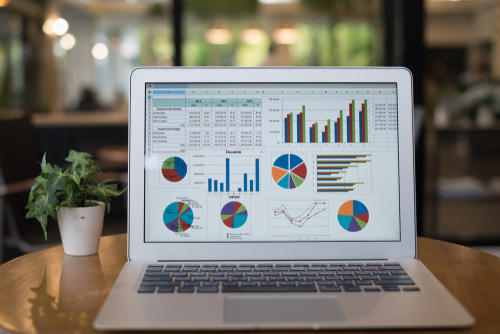 Business accounting activities can be tedious when performed manually and are prone to errors. For these reasons, many businesses have shifted to accounting software that offers numerous benefits, including data accuracy, time savings, easier auditing and on-demand reports.
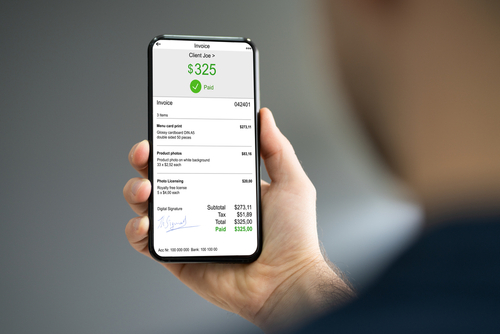 Invoicing is an important process in any business. Unfortunately, it’s also a laborious process that requires accuracy. With technology advances, businesses have tried to use various means to ease the invoicing process. Some outfits send scanned invoices; others might transfer PDFs through email; and some still use manual invoices. In this technology age, businesses are choosing to automate functions in a bid to increase overall business productivity and efficiency. E-invoicing is a technology that promises to help entrepreneurs add value to their businesses.
 In a continuously changing business environment, small businesses have a challenge to keep up. It’s especially expensive to keep pace with ever changing technology. Luckily, with affordable cloud accounting solutions, small businesses can maintain a competitive edge.
 When a business moves its services online, it runs the risk of losing the close connection it had with customers. This affects customer loyalty and sometimes means lost revenue. Thanks to technology, some businesses have deployed artificial intelligence (AI) chatbots to keep customers engaged in a two-way conversation.
  All businesses have one thing in common, and that is processes. Business processes – whether direct or indirect – are crucial when it comes to providing products or services to customers.